
Spam Call Blocker - Caller ID
Brando AppsCommunication
3.228.00 Reviews
- Version
- 8.0
- Installs
- 1.00M
- Age Rating
- Everyone
Screenshots
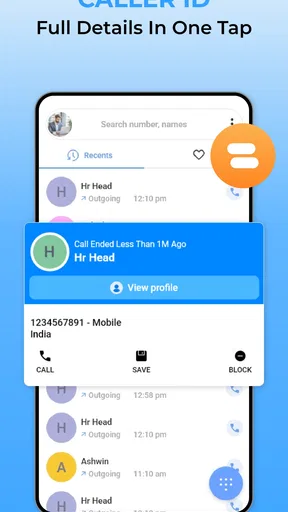
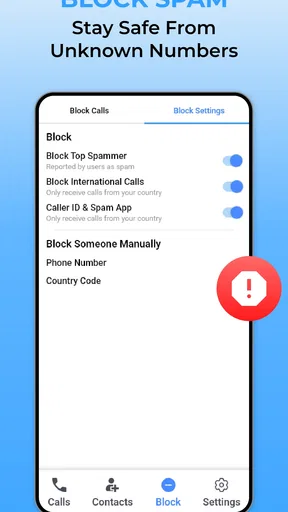
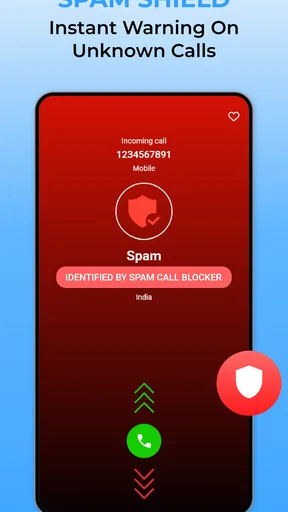
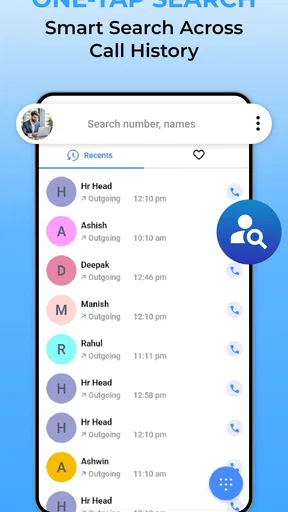
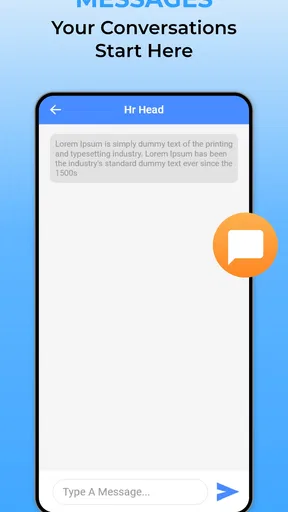
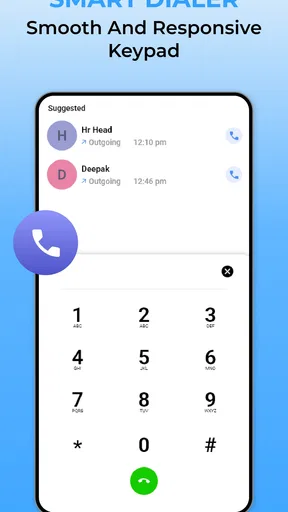
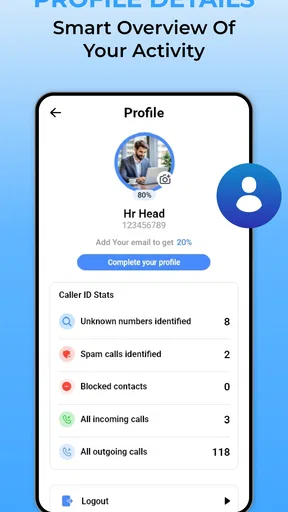
Our Review of Spam Call Blocker - Caller ID
 Analysis by Appyee
Spam Call Blocker - Caller ID is the kind of communication app I would consider when unwanted calls have become a daily interruption rather than an occasional annoyance. It is made by Brando Apps and combines call handling, SMS management, contact organization, and spam-call blocking in one place. That broad approach is appealing, although it also means the app deserves a closer look than a simple “install and forget” tool.
My overall impression is mixed but useful: the app has a clear purpose, a free entry point, and a practical focus for people who want more control over their phone activity. At the same time, its average rating of 3.2 from around 1,200 ratings suggests that the experience is not equally smooth for everyone. I would not treat that number as a reason to dismiss it, but I would approach the installation with realistic expectations.
What using it feels like in everyday communication
The main attraction is having calls, text messages, and contacts handled through one communication-focused app instead of moving between separate tools. For someone who frequently receives suspicious numbers, that unified setup can feel less fragmented. I can see the value for a person who wants to review incoming communication in one routine rather than checking the phone app, the messaging app, and the address book independently.
A realistic example would be a busy workday when several unknown numbers call during meetings. Instead of answering each interruption, I would use the app as a first layer of control, then review the call history later. If a number turns out to belong to a delivery driver, a clinic, or a new customer, the contact-management side becomes important because the useful part is not only blocking unwanted calls; it is also keeping legitimate callers easy to recognize next time.
That is where the app’s design idea makes sense. A dedicated spam blocker can be convenient, but a combined communication tool may be more useful for people who want to make decisions about calls rather than simply reject every unfamiliar number. The trade-off is that a broader app can require more attention during setup and daily use than the phone’s built-in call screen.
Speed expectations during normal use
Spam Call Blocker - Caller ID is presented as a focused communication utility, so I would expect ordinary actions such as opening call records, checking messages, or reviewing contacts to feel straightforward on a reasonably supported device. The current version is 8.0, and the app supports operating systems from version 9 onward, which gives it a fairly broad base of compatible devices.
Still, I would separate perceived speed from actual blocking effectiveness. A call-management app may appear quick when its screens open promptly, yet the more important moment happens when an incoming call arrives. The usefulness of the app depends on whether its handling fits naturally into that interruption. Because no phone can be assumed to behave identically across manufacturers and system versions, I would test it with ordinary calls soon after installation rather than trusting the first successful screen load.
My practical advice is to avoid judging it after only opening the home screen. Add or review a few contacts, inspect how messages are presented, and see whether the call history is easy to understand. That short test tells you more about everyday responsiveness than a quick glance at the store page. It also helps reveal whether the app feels like a helpful control center or an extra step between you and your phone.
What happens during heavier communication days
The app becomes more interesting when the phone is busy. A quiet user who receives only a handful of calls may not need a separate communication manager at all. The stronger use case is someone dealing with repeated unknown calls, a large contact list, frequent SMS conversations, or a mixture of personal and work communication.
In those situations, organization matters as much as blocking. I would use the app in short review sessions: check recent calls, identify numbers worth keeping, clean up contacts, and deal with messages that need attention. That workflow is more sustainable than trying to make a decision every time the phone rings. It also reduces the chance of accidentally treating an important caller as spam simply because the number is unfamiliar.
One non-obvious trade-off is that centralizing several communication tasks may make the app more valuable over time, but it can also make mistakes more consequential. If the app becomes the place where I expect to find calls, texts, and contacts, any confusing screen or delayed update affects more than one task. I would therefore keep the phone’s standard communication tools familiar during the first few days instead of switching completely without checking how the new arrangement behaves.
For heavy use, I would also pay attention to mental workload rather than only technical speed. A blocker that forces constant decisions can become tiring, especially when legitimate businesses call from changing numbers. The best routine is selective: block obvious nuisance communication, preserve known contacts, and review uncertain numbers later. That approach uses the app as a filter without turning every unknown caller into an automatic rejection.
Stability and recovery when something goes wrong
Reliability is especially important for a communication app because missed calls and hidden messages can have real consequences. I would be more forgiving of a minor visual inconvenience in a casual app than of unclear call handling. The rating of 3.2 indicates that users have had varied experiences, so I would treat stability as something to verify on my own phone rather than assume.
A sensible first-day check is simple. After installing, I would make a test call from a known number, receive a call from an unfamiliar number, review a text message, and confirm that saved contacts remain recognizable. I would then reopen the app after a normal phone restart or a period of inactivity. This does not prove every situation will work perfectly, but it gives a useful early indication of whether the app fits the device.
Recovery matters just as much as initial behavior. If a call is handled unexpectedly, I would want to find the relevant record quickly and understand what happened. That is why I would avoid enabling aggressive blocking before I had reviewed the app’s contact and call-management behavior. Start conservatively, observe the results, and only then make the rules stricter. This is a safer workflow for anyone who receives medical, school, delivery, or work calls from numbers that may not already be saved.
The app’s free price makes that cautious trial easier. There is no purchase required simply to begin evaluating whether its approach suits you. However, in-app purchases range from $3.49 to $49.99 per item, so I would pay attention to which functions remain available without payment and whether an optional upgrade is genuinely useful for my routine. I would not pay immediately just because blocking is important; I would first confirm that the basic experience is stable and understandable.
Device limits and practical compatibility
Support for operating systems from version 9 onward means the app is not limited to only the newest phones. That is helpful for people keeping an older device, but operating-system compatibility alone does not guarantee an identical experience everywhere. Phone manufacturers can handle calls, notifications, background activity, and default communication apps differently.
For that reason, I would be particularly careful on an older or heavily customized phone. If the device already struggles with storage, background activity, or a crowded collection of communication apps, adding another layer may make the overall experience feel less tidy even if the app itself installs correctly. I would also avoid running several call-blocking tools at the same time, because overlapping systems can make it difficult to tell which one handled a call.
Resource demands are best judged through ordinary behavior rather than assumptions. I would watch whether the phone remains comfortable during a normal day of calls and messages, whether notifications arrive as expected, and whether the app remains easy to open after extended use. I would not claim that it is unusually light or unusually demanding without device-specific evidence. The fair conclusion is that users with older phones should test it gradually, while users with newer devices still need to verify that it integrates cleanly with their preferred communication habits.
The age rating is Everyone, which makes the app broadly suitable from a content perspective. That does not remove the need for adult supervision or sensible communication habits on shared devices, but it does make the app easier to consider for households where call and message organization is a practical concern rather than a specialized business need.
Who will get the most from it
I think the app is best suited to people who receive enough unwanted communication to justify a dedicated tool but still want to manage legitimate callers and contacts in the same environment. It may also appeal to users who dislike jumping between separate apps and prefer one place for calls, SMS, and contact-related tasks.
It is less convincing for someone who receives very few spam calls, already likes the phone’s built-in tools, or wants a completely invisible solution that requires no review. The combined approach has advantages, but it also asks the user to pay attention. If your priority is only caller identification and your existing phone already handles that well, a narrower alternative may feel simpler.
I would also hesitate to recommend it as the sole communication safeguard for someone who cannot afford to miss an unknown but important call. In that case, careful contact management and conservative blocking are more important than convenience. The app can support that process, but no blocker should replace checking uncertain communication when the stakes are high.
How it compares with the usual alternatives
The obvious alternative is the phone’s built-in call and messaging system. That option usually has the advantage of familiarity and fewer moving parts. If your phone already gives you enough control over unwanted calls, adding Spam Call Blocker - Caller ID may not produce a meaningful improvement. Its reason to exist is the desire for a more unified approach to calls, SMS, and contacts.
Another alternative is a specialized caller-identification or spam-blocking app. A specialized tool may be preferable if you want a narrow interface focused on incoming calls and little else. Brando Apps’ app is more appealing when the user values the combination of communication tasks, but the wider scope can feel unnecessary if contact and message management are already working well elsewhere.
There is also a manual approach: save important numbers, silence or reject suspicious callers, and review the call log yourself. That costs nothing and gives maximum control, but it demands more time. The app’s potential advantage is reducing that repeated effort. Its potential weakness is that the user must trust a separate layer with communication decisions, so the convenience is worthwhile only if the app’s behavior feels clear on the individual device.
Small habits that make the app safer to use
I would begin with a short observation period rather than immediately blocking every unfamiliar number. During that period, I would save trusted contacts, check recent calls after interruptions, and note whether legitimate callers are easy to distinguish. This creates a personal baseline and reduces accidental blocking.
I would also use contact cleanup as part of the setup. Old entries, duplicate names, and vague labels make caller management harder, regardless of which app is used. A clean address book gives this app better context and makes its combined call-and-contact approach more useful. That is a practical advantage many people overlook when they expect a blocker alone to solve every recognition problem.
Finally, I would review the app after a week of real use instead of deciding based on one quiet afternoon. The important questions are whether interruptions feel easier to manage, whether messages remain easy to find, whether call records make sense, and whether the app has introduced extra confusion. If it passes those tests, the free version is a reasonable way to continue experimenting before considering any in-app purchase.
With over one million installs, the app has clearly reached a substantial audience, but popularity is not a substitute for a good fit. Its 28 reviews and broader rating picture suggest that personal experience matters here. I would read user feedback for patterns related to call handling and usability, then compare those concerns with what happens on my own phone.
My performance verdict
Spam Call Blocker - Caller ID is a practical communication app with a sensible central idea: bring calls, SMS, contacts, and spam control closer together. I like it most as a review-and-organize tool for people whose phones are regularly interrupted by unknown numbers. The free starting point makes it easy to test, and the Everyone rating keeps its audience broad.
My recommendation is conditional rather than enthusiastic. Install it if you want a unified communication workflow and are willing to spend a little time checking how it behaves with real calls and messages. Start gently, protect important contacts, and judge stability on your own device. If you only need a basic blocker, the built-in phone tools or a more specialized alternative may be cleaner.
The strongest reason to try it is control without switching between several communication tools; the strongest reason to be cautious is that call reliability matters more than convenience. For me, that makes it worth testing, but not an app I would enable aggressively without a short adjustment period.
Verdict
Strengths of Spam Call Blocker - Caller ID
- Identifies many unknown callers before you answer.
- Blocks suspected spam calls automatically.
- Lets you create a personal blocklist.
- Searches numbers to reveal possible caller details.
- Simple interface makes call screening easy.
Limitations of Spam Call Blocker - Caller ID
- Some caller information may require a subscription.
- Database accuracy can vary by country and region.
- Legitimate calls may occasionally be flagged as spam.
- Background call detection can affect battery usage.
- Requires access to phone and call-related permissions.
Similar Picks in This Category
View All
Google Messages
Google LLC4.6

Gmail
Google LLC4.1

Google Meet
Google LLC4.4

Google Chrome
Google LLC4.1

WhatsApp Messenger
WhatsApp LLC4.6

Carrier Services
Google LLC4.2
Frequently Asked Questions
What is Spam Call Blocker - Caller ID and how does it work?
Spam Call Blocker - Caller ID is designed to identify unwanted calls and help you decide whether to answer them. It can compare incoming numbers with spam or scam databases, display caller information when available, and block calls that match selected categories. Results may vary depending on your region, database coverage, device permissions, and the quality of information associated with each phone number.
Does Spam Call Blocker - Caller ID automatically block every unknown number?
No. Unknown numbers are not always spam, so the app generally provides settings that let you choose how aggressively calls are filtered. Depending on your preferences, you may block known spam numbers, suspected scam calls, private callers, or numbers outside your contacts. Before enabling strict blocking, review the options carefully to avoid missing legitimate calls from businesses, delivery services, doctors, or new contacts.
What permissions does the app require, and is my personal information safe?
A caller identification and blocking app may request access to phone calls, contacts, call logs, notifications, or related device features so it can recognize and filter incoming calls. The exact permissions depend on your Android or iOS version and the features you activate. Before installing, read the privacy policy and app-store disclosures to understand how numbers, contacts, and usage data may be collected, processed, or shared.
Can Spam Call Blocker - Caller ID identify international or newly created spam numbers?
The app can identify many reported numbers, but no caller database is complete. International coverage depends on the countries supported by the service, while newly created or frequently changing scam numbers may not yet have enough reports to be recognized. Caller ID information can also be spoofed, meaning a scammer may imitate a legitimate number. Treat unexpected requests for money, passwords, or verification codes with caution.
Is Spam Call Blocker - Caller ID free to use, or does it require a subscription?
The app may offer basic caller identification or blocking features at no cost, while advanced tools can be limited by advertisements, usage limits, or a premium subscription. Pricing, trial periods, and available features may differ between Android and iOS and can change over time. Check the current store listing before downloading, especially if you want unlimited lookups, automatic protection, or removal of advertisements.
